
How Diorama works
Share what matters. Review what comes next.
Ray uses your saved abilities, equipment, and preferences alongside training and recovery to propose structured sessions. You choose what enters your plan.
Connect the context you want to use
Choose your Apple Health permissions. Add calendar context when useful. You can also log training and check-ins manually on iPhone.
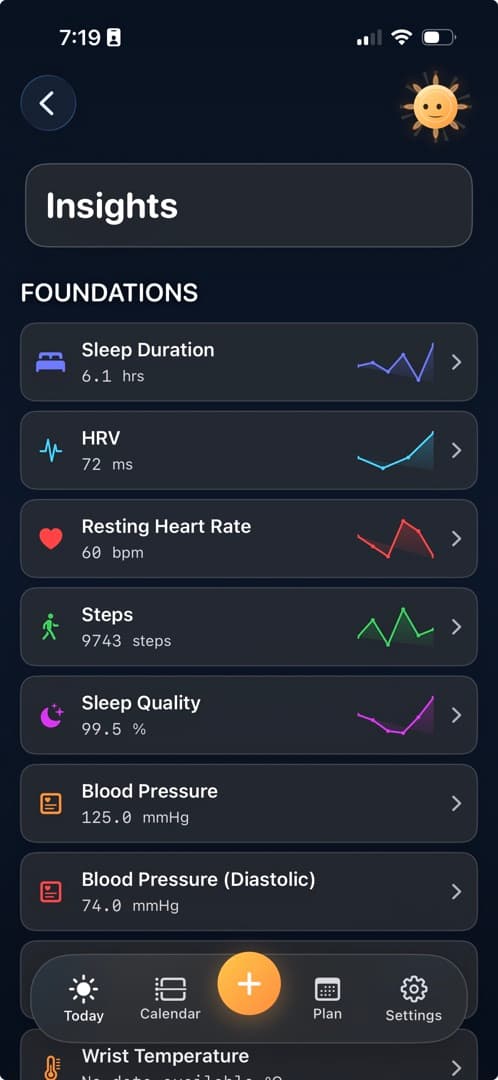
Tell Ray what matters about how you train
Share your movement options, equipment, and preferences. Review, edit, or remove what Ray remembers. Those saved details carry into session generation alongside today’s recovery and recent training.
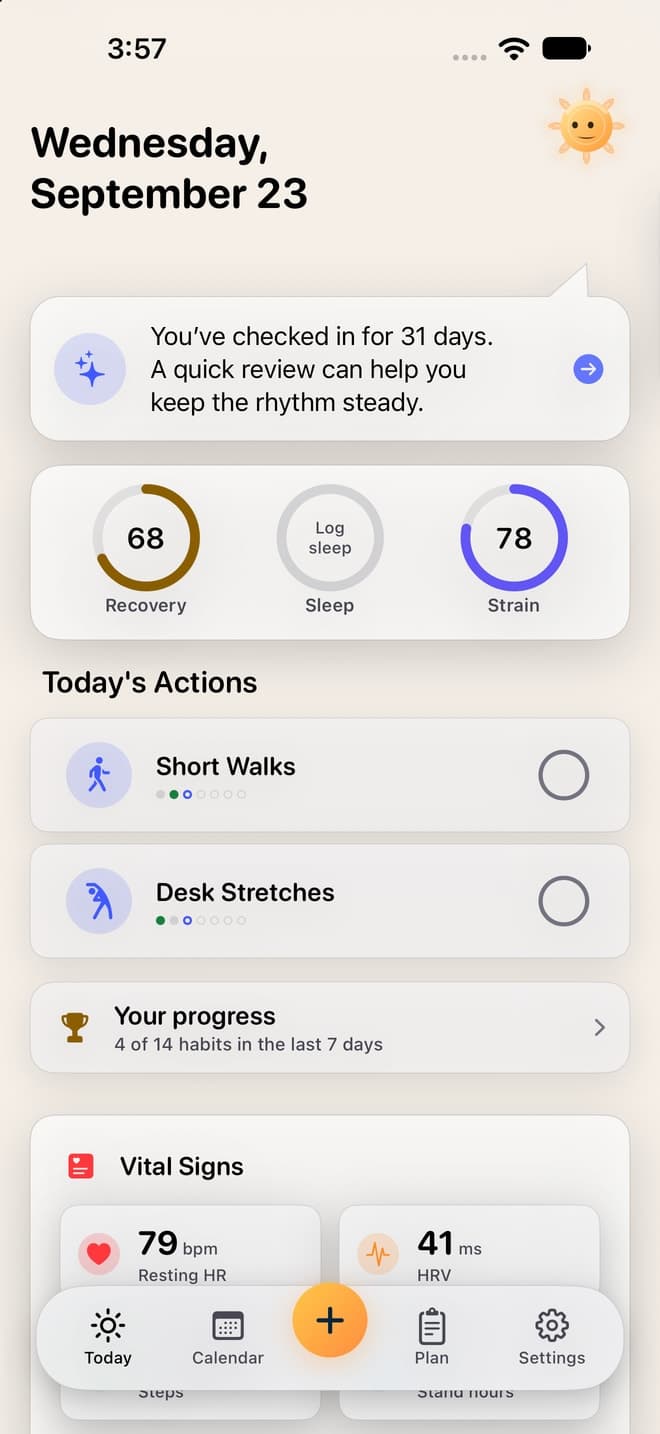
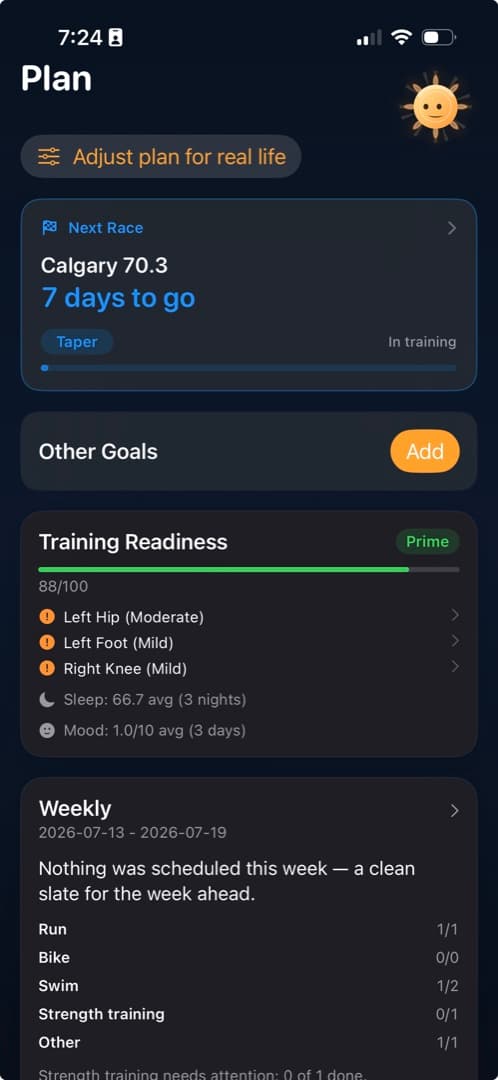
Choose a goal and see the week
Keep your sport, goal, available time, and recent training in view. Check recovery and soreness before deciding what session fits today.
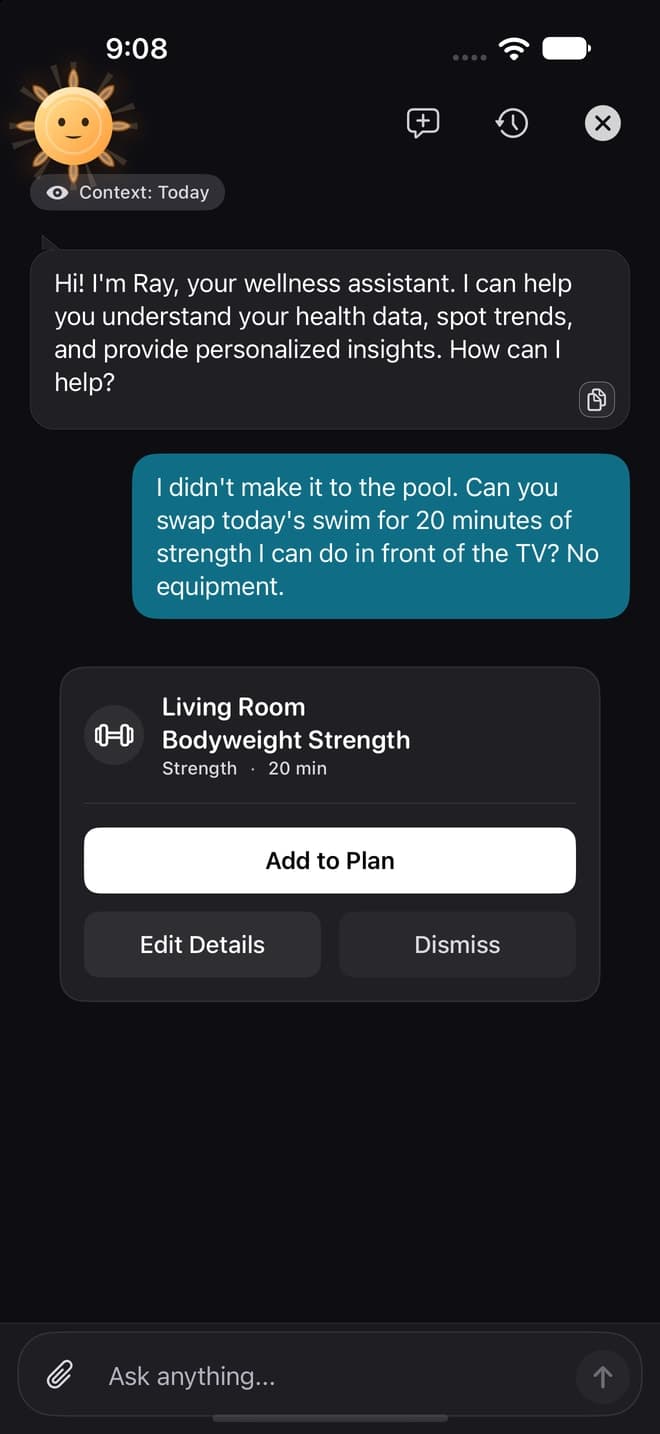
Generate a session, then review it
Ask Ray for a session that fits your saved abilities and equipment, including strength or other workout types. Review the proposal and explanation. Add it to your plan, edit the details, or dismiss it.
Adjust the week as life changes
Ask for a shorter or easier session when recovery or available time changes. Your saved movement needs remain part of the context. Review the proposed change before saving.
Capability-aware
Review what Diorama remembers about you.
Diorama remembers the abilities, limitations, equipment, and preferences you choose to share. Ray uses relevant saved context when proposing structured sessions, including strength, alongside recent training and recovery. You review changes before they enter your plan.
You choose what leaves the app.
Core records stay on your device. When an AI feature runs, relevant context is sent to cloud AI. Ray is optional and can be turned off at any time.
- Core health and training records stay on your device.
- Your data does not train AI models.
- No ads, no data resale, no manipulative streak mechanics.
Take eligible sessions to Apple Watch.
Compatible structured runs, rides, and swims can be scheduled in Apple Workout on a compatible paired Apple Watch. Availability depends on the workout type and your iPhone and watch software. Strength sessions stay in Diorama; they do not export as structured Apple Workout sessions.
Explore integrations →Four useful decisions
Choose today's session
Compare sleep, soreness, and recent training before you commit.
Move what changed
Shift a session or trim volume when work, weather, or recovery changes the week.
Ask Ray a specific question
Ask whether to keep today's tempo run or swap it.
Review the pattern
Look back at pain, soreness, sleep, and training across weeks.