
Movement options
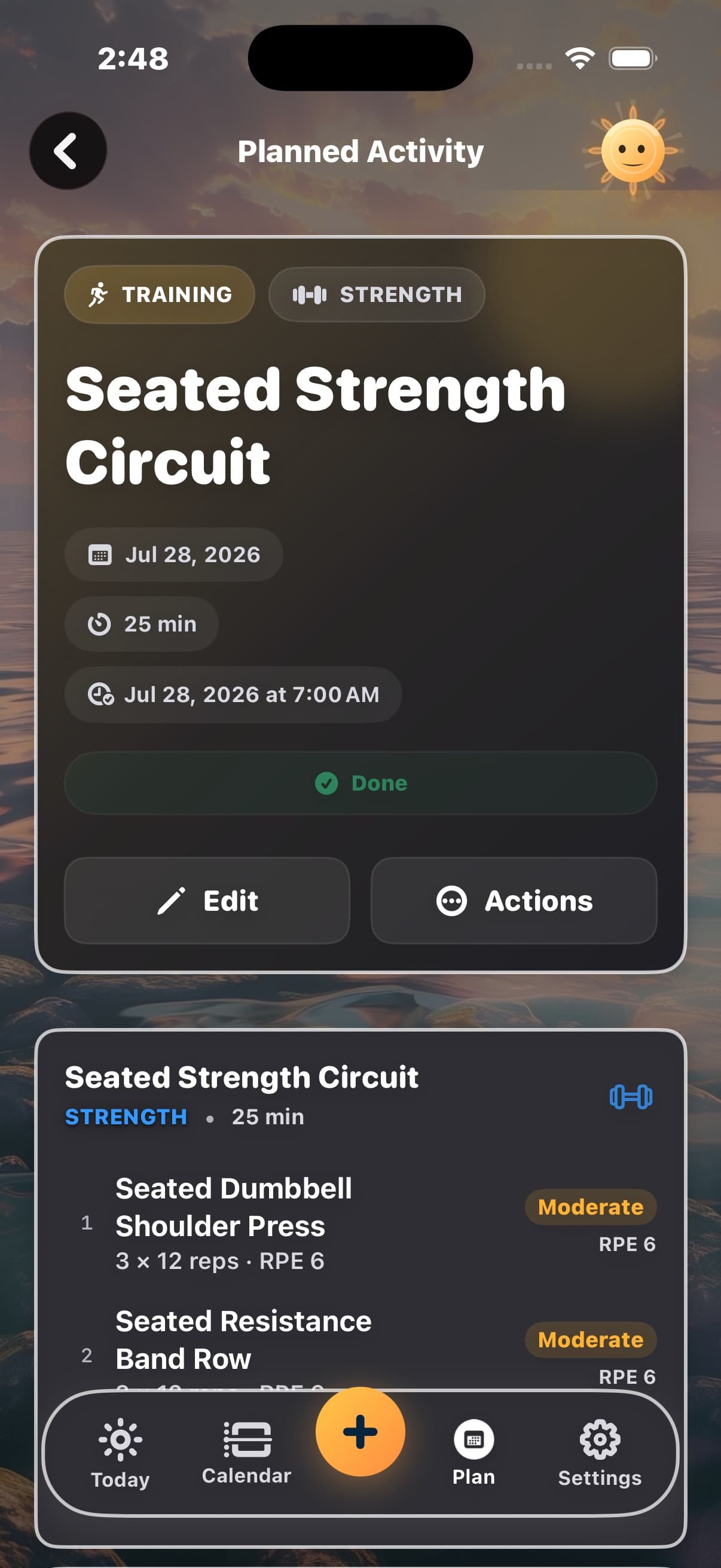
Strength can be seated.
This seated circuit includes a seated dumbbell shoulder press and a resistance band row, with sets, reps, and effort targets visible in the session.

Personal training on iPhone
Diorama remembers your abilities, equipment, and preferences, then helps you plan structured sessions around your recovery and goals.
For the way you train—from endurance goals to seated strength.
Built for the long run.
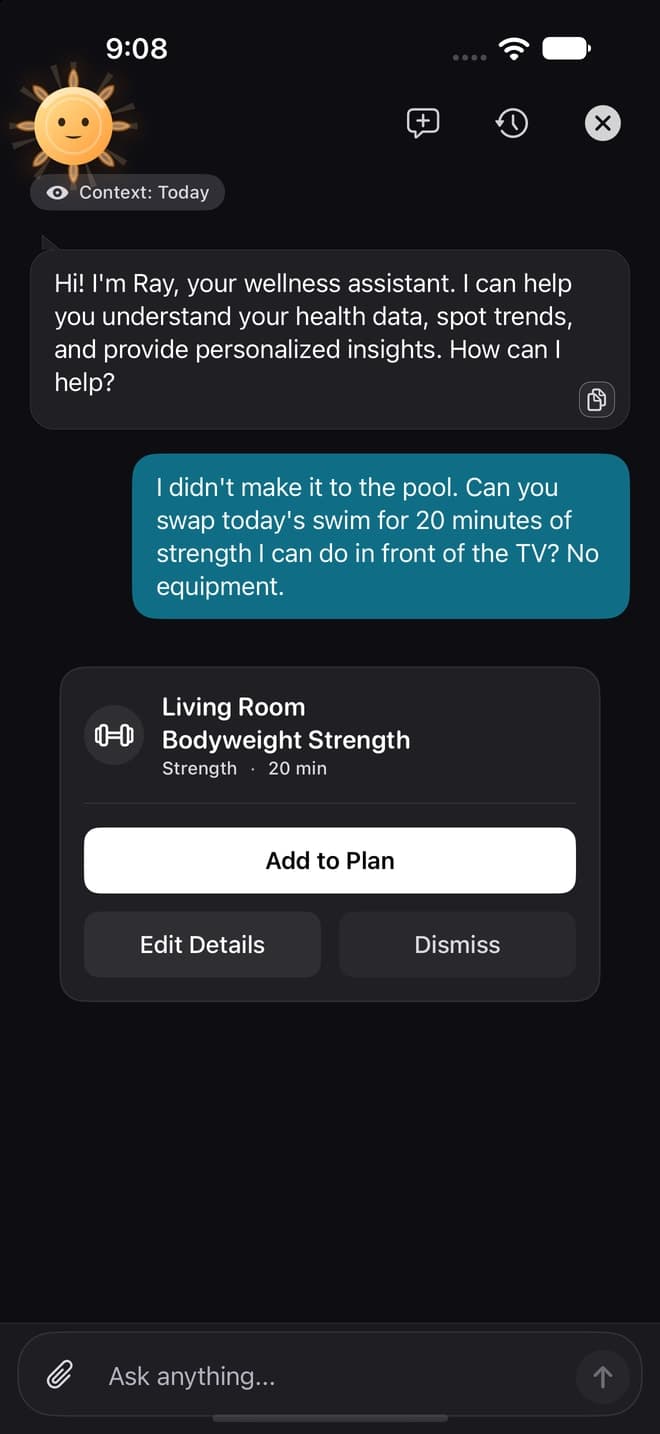
Review a strength session before adding it to your plan.
What Ray remembers matters
Your movement options and the equipment you use belong in the plan. Share what matters, then review the session Ray proposes. You choose whether to save it.
01
Tell Ray about your abilities, equipment, and preferences. Review, edit, or remove what it remembers whenever you need to.
02
Ray uses relevant saved context alongside your recent training and recovery when proposing structured sessions, including strength.
03
Review the proposal and its explanation. You can add it to your plan, edit the details, or dismiss it.
Movement options
This seated circuit includes a seated dumbbell shoulder press and a resistance band row, with sets, reps, and effort targets visible in the session.
Time and equipment
In a separate example, an athlete asks for 20 minutes of strength with no equipment after missing a swim. Ray offers Add to Plan, Edit Details, and Dismiss.
Training for your abilities
Para athletes, masters athletes, and athletes training with lasting physical limitations bring different needs and goals. Your sport or age does not tell the whole story. Share the movement options and equipment that matter to you, and keep them in view as your training changes.
Explore training for your abilities →Training plans
Choose your sport, goal, and available time. Ray uses your saved abilities, limitations, and equipment when proposing sessions. Review changes as recovery and life reshape the week.
Explore plans by sport →The next session
If sleep was short, your knee is sore, or a swim got bumped, the useful question is what to do next. Ray uses those changes alongside your saved movement needs. Review the adjustment before saving it.
How it adapts
One day with Diorama
Review sleep, HRV, and soreness before training.
Adjust sessions when work, travel, or recovery changes.
Track pain and fatigue before they cost you training time.
Sleep closes the loop and updates your next plan.
Inside the app
A clear view of your health and training.
Explore all features →Plate I
Review recovery, sleep, vitals, and training load.
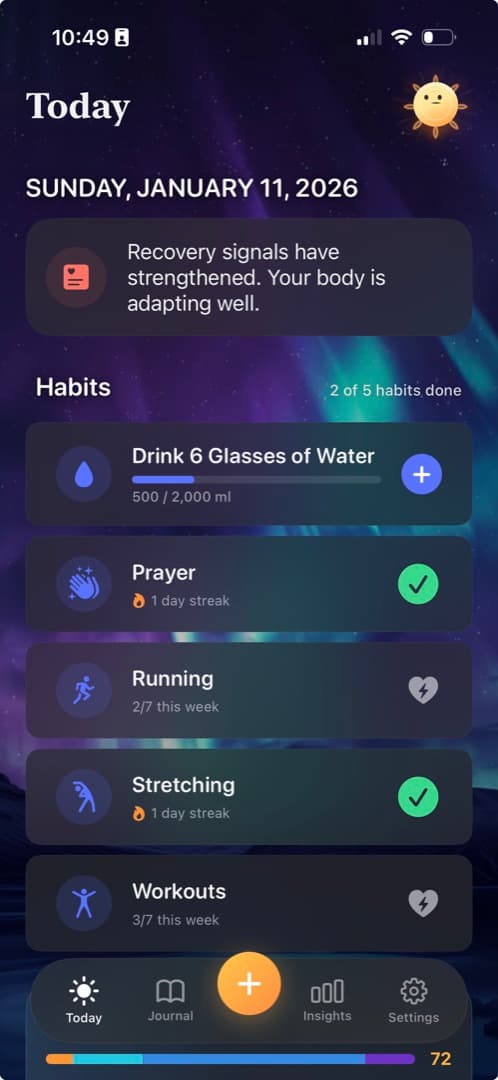
Bike training, recovery, sleep, and daily actions.
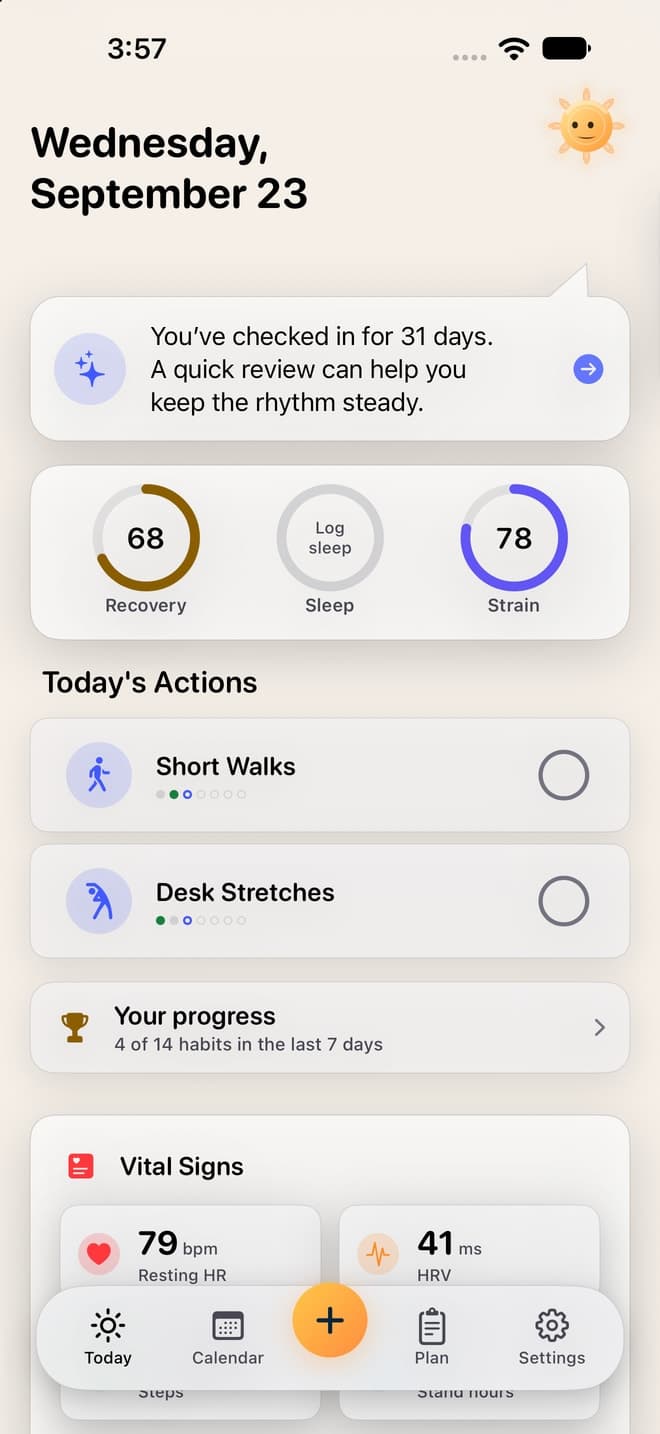
Review recovery, movement, and vital signs.
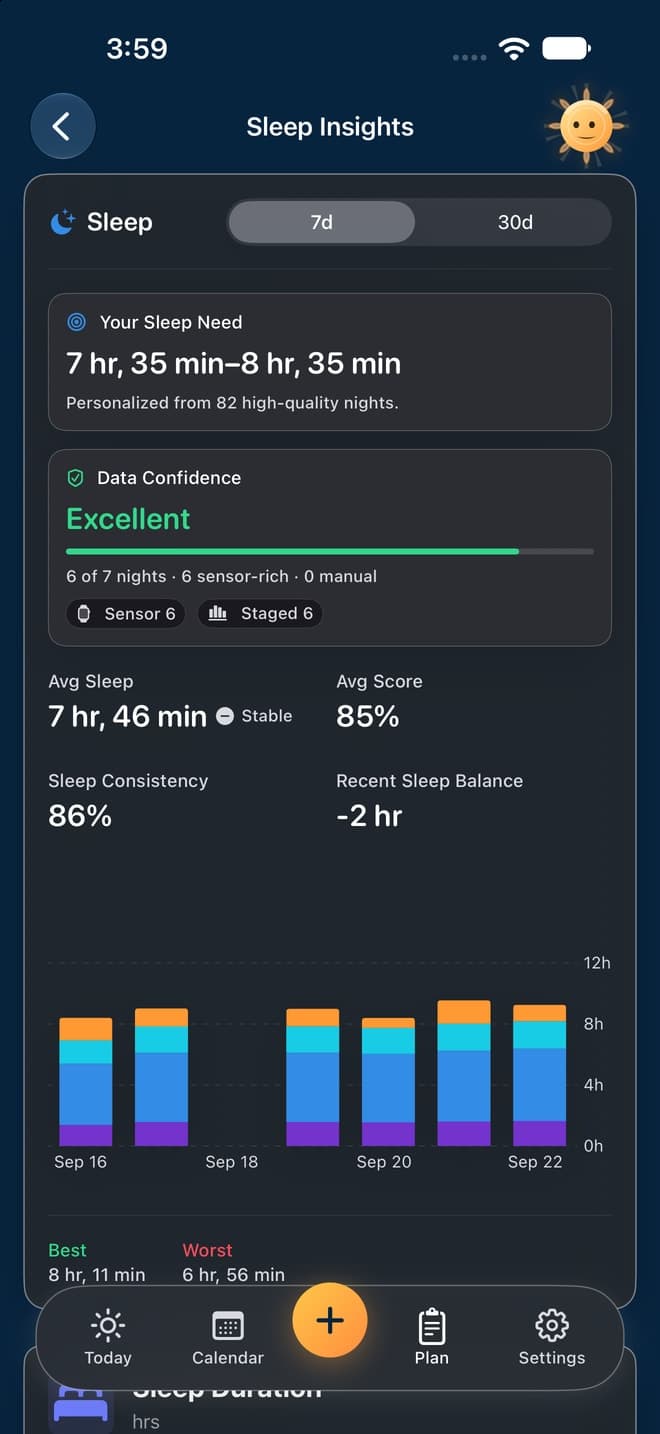
Review sleep before you train.
Plate II
Build the week, then adjust when life changes.
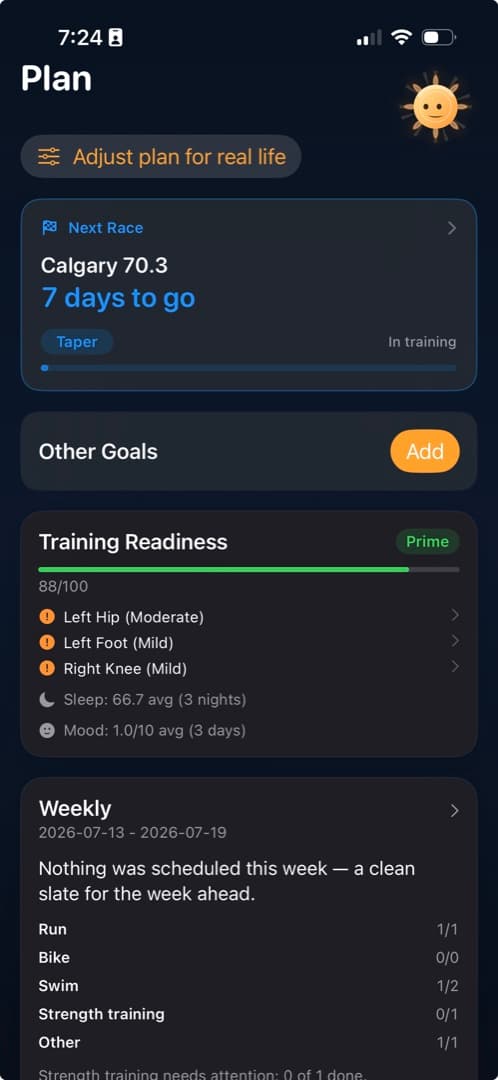
Keep the goal, readiness, and next sessions together.
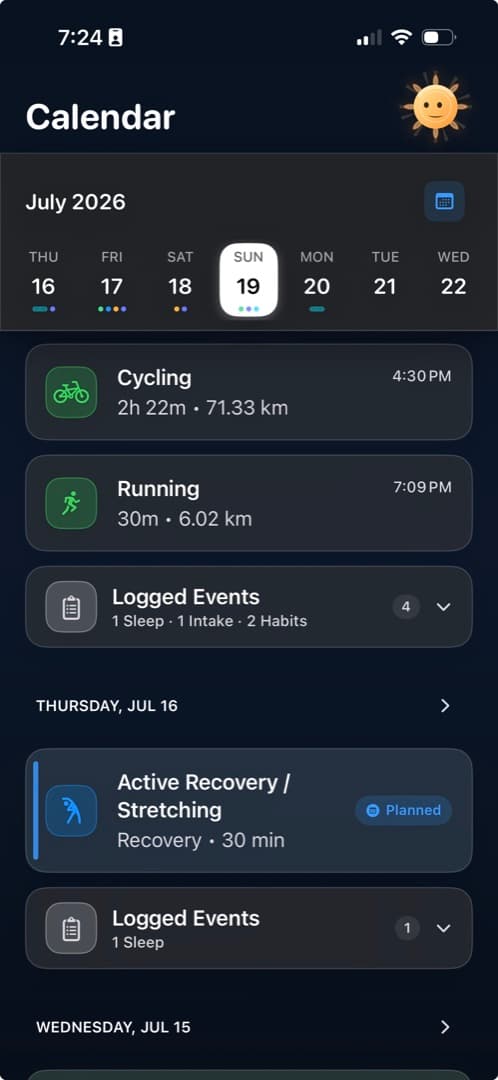
Compare planned and completed sessions.
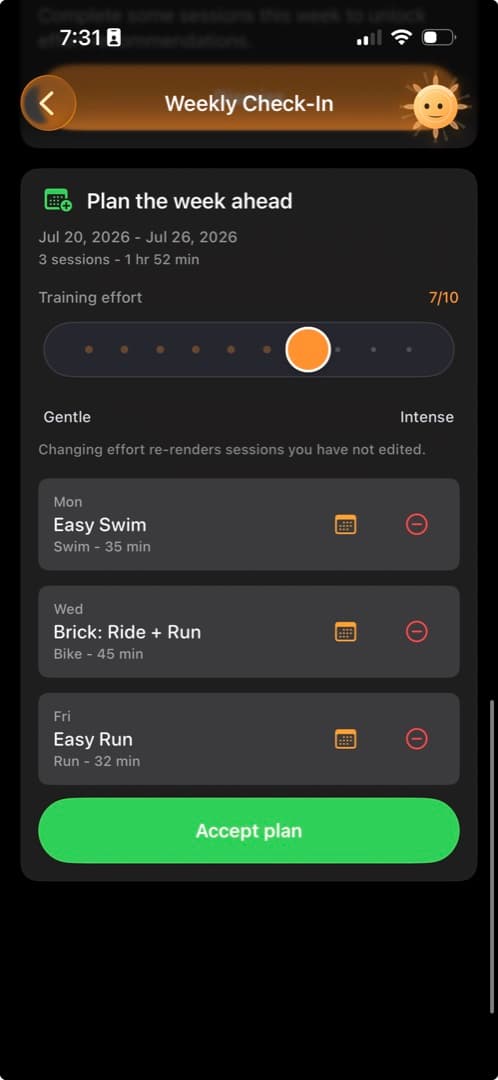
Review completed work, rest days, and scheduling explanations.
Plate III
Ask Ray about your recent training.
Ask Ray to adjust your plan.
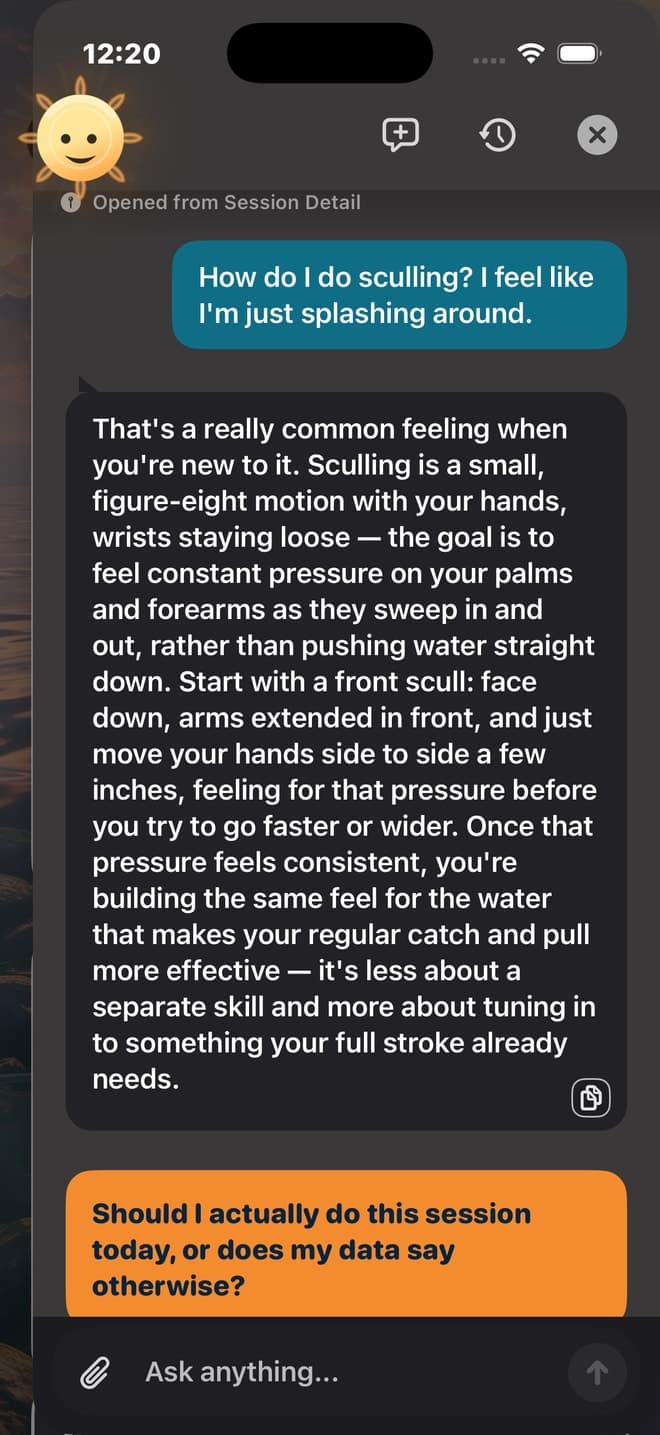
Ask about swimming technique and drills.
Plate IV
Track changes in pain, recovery, and habits.
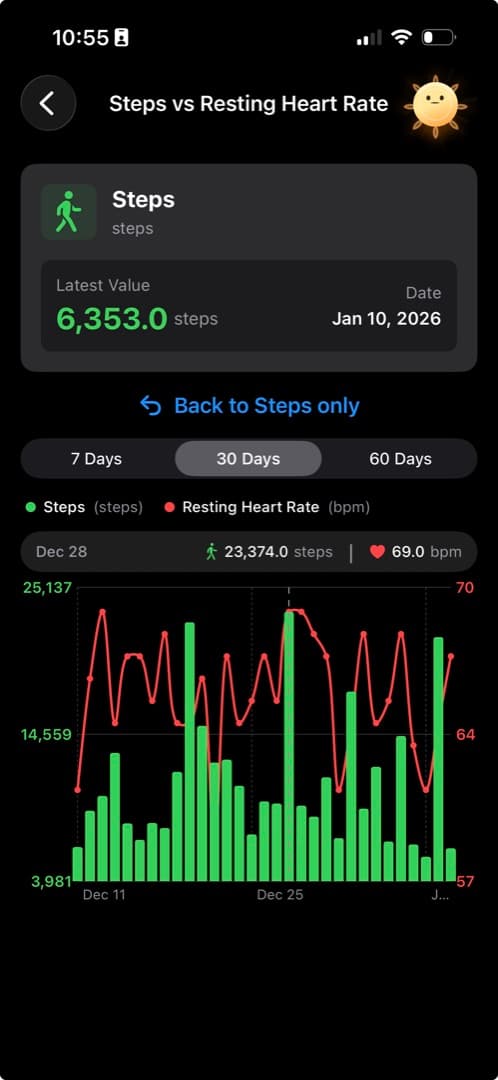
See how sleep, training, and symptoms relate.
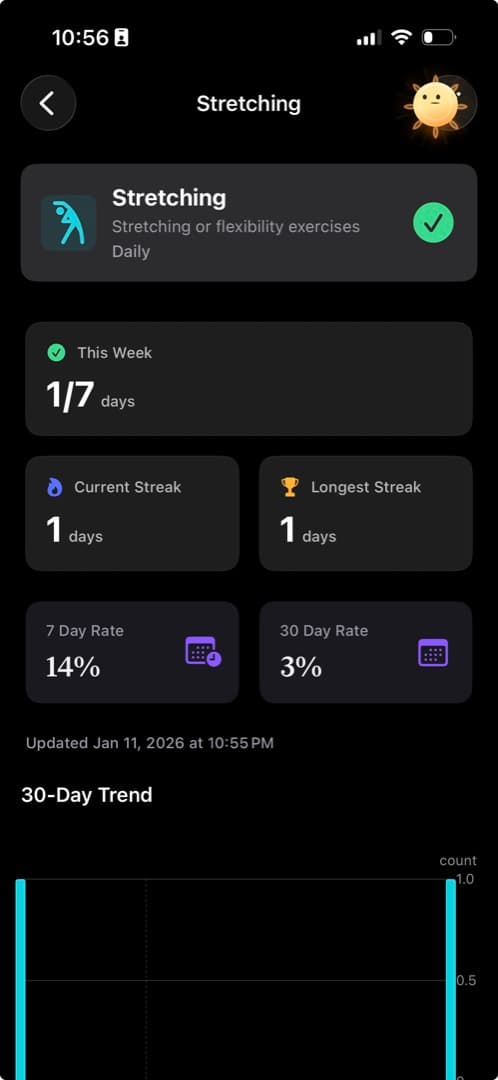
Track consistency over time.
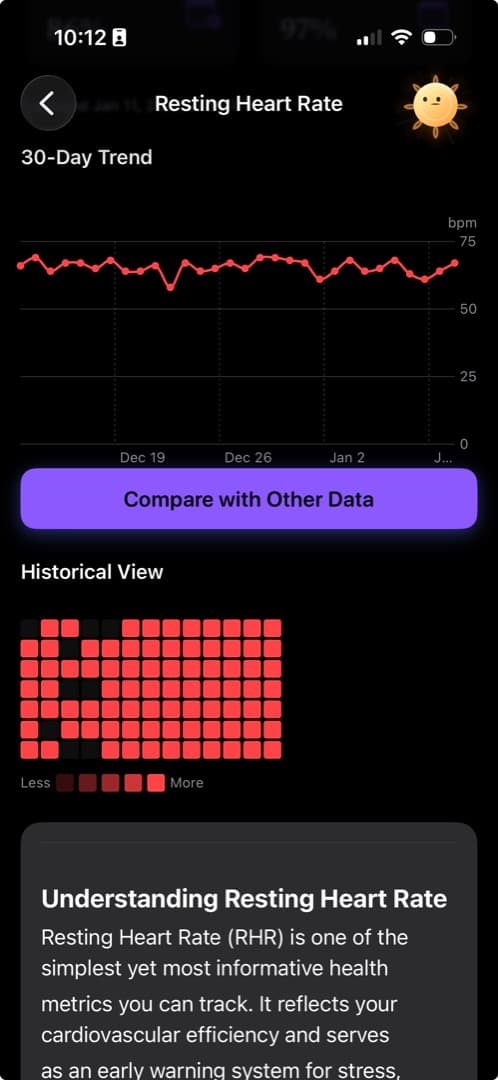
Spot baseline shifts over time.
Privacy
Core health and training records stay on your device. When an AI feature runs, relevant context is sent to cloud AI. You can turn AI off, and your data is not used to train the AI models.
Read the privacy policy →Built for the long run
Dylan Marks built Diorama while training through injury and approaching 50, drawing on 25 years building healthcare software. The idea is practical: training should account for the person doing it, including the context that lasts beyond one training block.
Read the story →Explore training that makes room for your abilities and the week you have.